 TELO
Health Journal App for iPhone with Apple Health
See synced sleep and workouts alongside notes about meals, travel, and training in Telo Health’s Health Log.
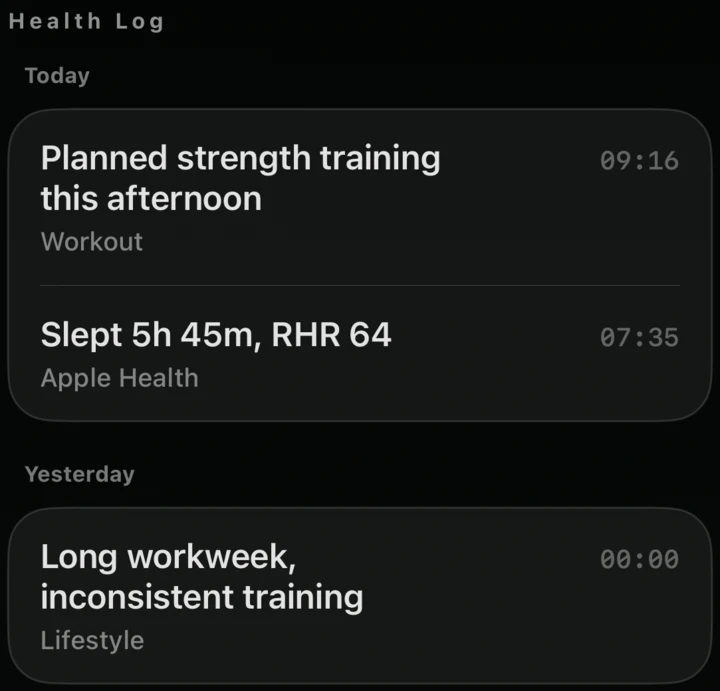
See synced records and everyday events together
Telo Health reads the data you choose to share from Apple Health. Health Log shows synced sleep and workouts by date, alongside entries you add about meals, caffeine, travel, stress, or training plans.
Log by voice, photo, or text
Open the input bar at the bottom of the Telo dashboard. Say something like “I went to bed late after a flight,” take a photo of something you want to log, or type a note. Find the entry in Health Log.
Use the timeline to revisit a change
In the screenshot, the strength-training plan is a journal entry, while the sleep entry comes from Apple Health. When reviewing a day like this, separate what you planned from workouts you recorded, then open the dashboard to see whether the sleep and recovery changes continued.